Demify for marketing teams

Turn site visitors
into qualified leads.

Demify puts an interactive demo with an AI guide on your website: it asks each visitor what they need, shows the matching part of the product and passes the lead to your team with what was said.

14-day free trial · No credit card · Live in minutes

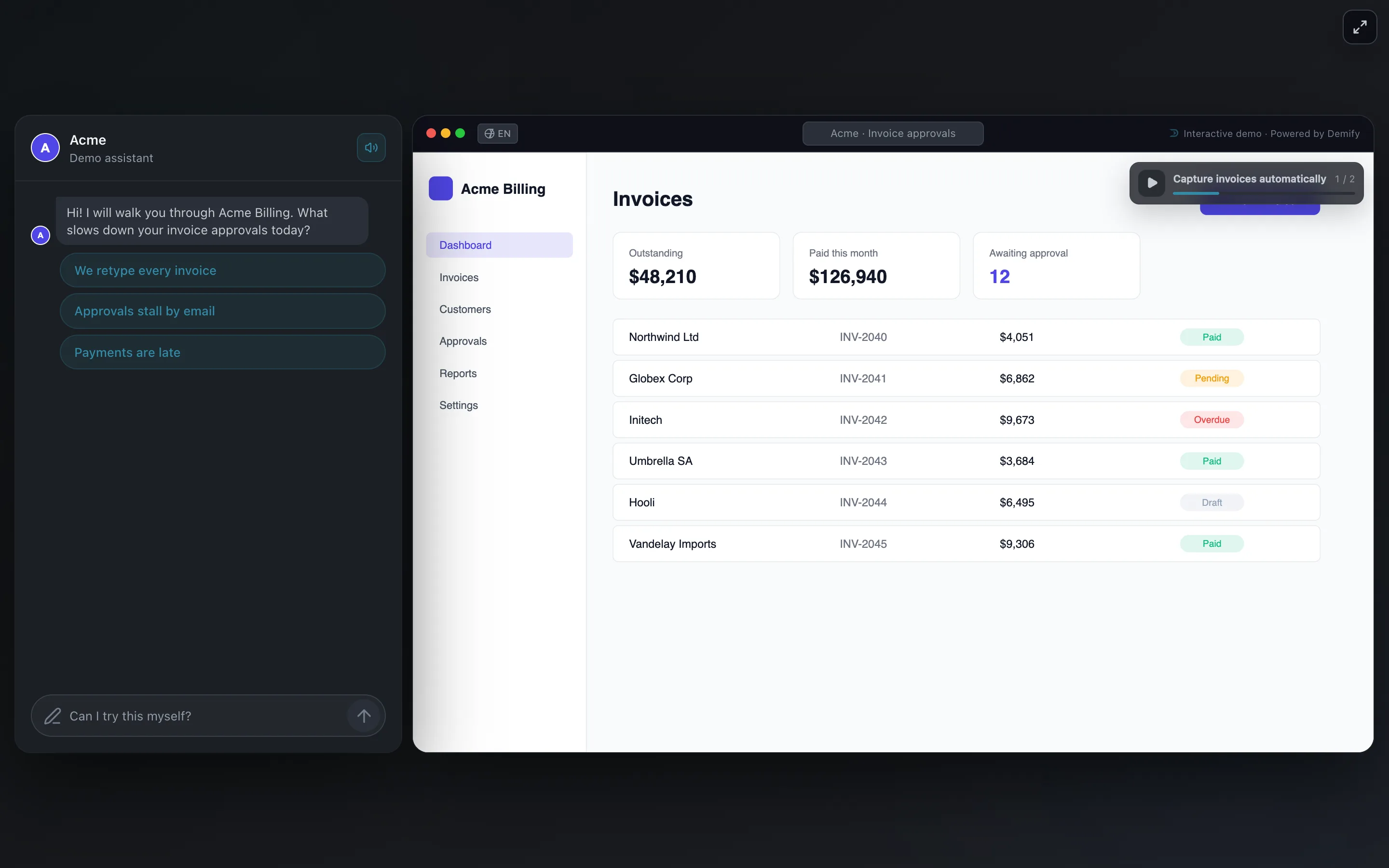
The Demify viewer: the AI guide's chat on the left, the captured product on the right

Most visitors leave without filling in a form. The ones who book a demo wait days, and a form tells you an email address, not what they needed.

The demo on your page.
One line of code.

Visitors explore the product with a guide instead of a form.
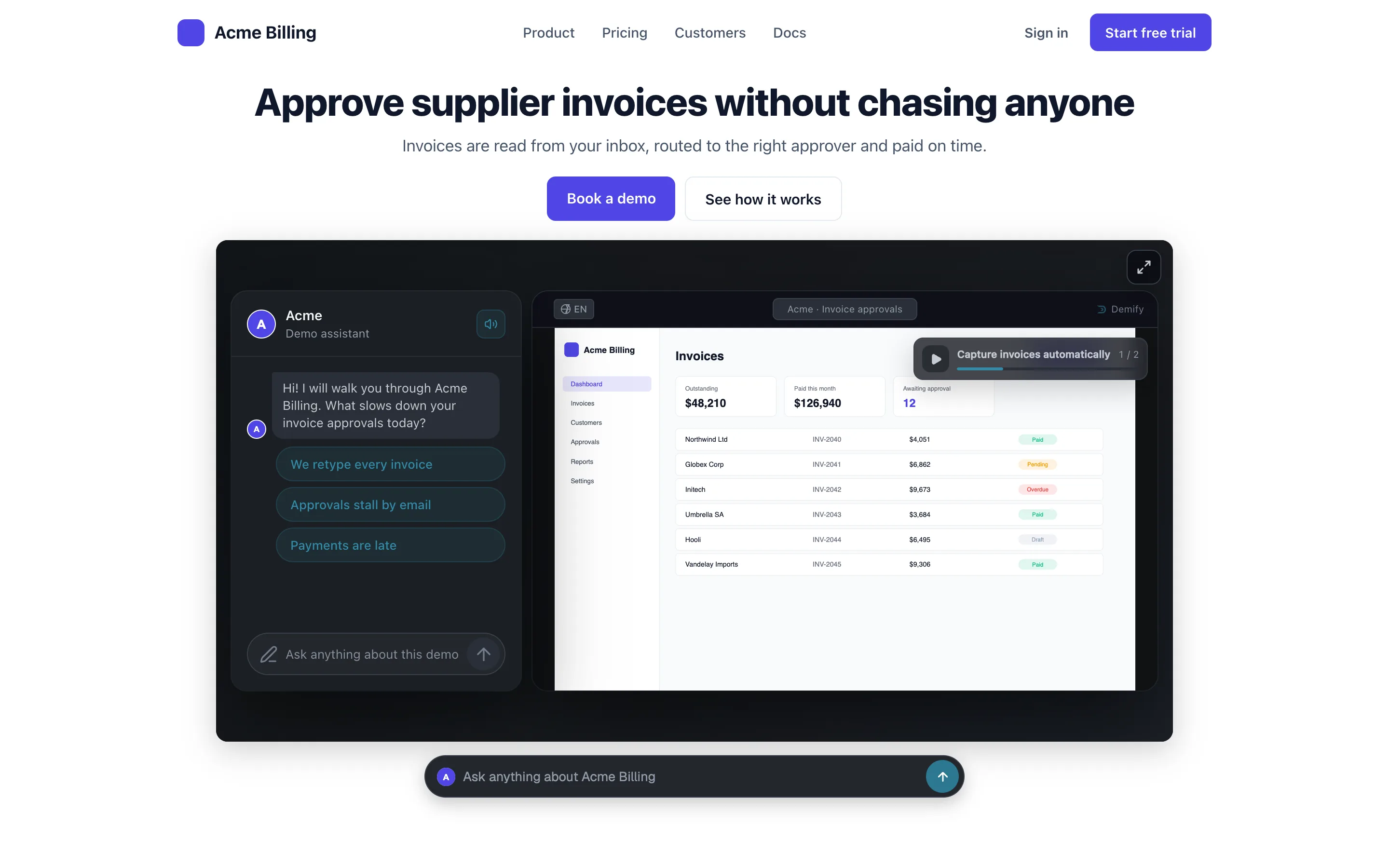
A software company's website with the Demify demo embedded under its headline and the chat bar docked below it

One demo for
every campaign.

A public link for ads, emails and posts, a personalized link for target accounts, and the chat bar on every page from the Scale plan.
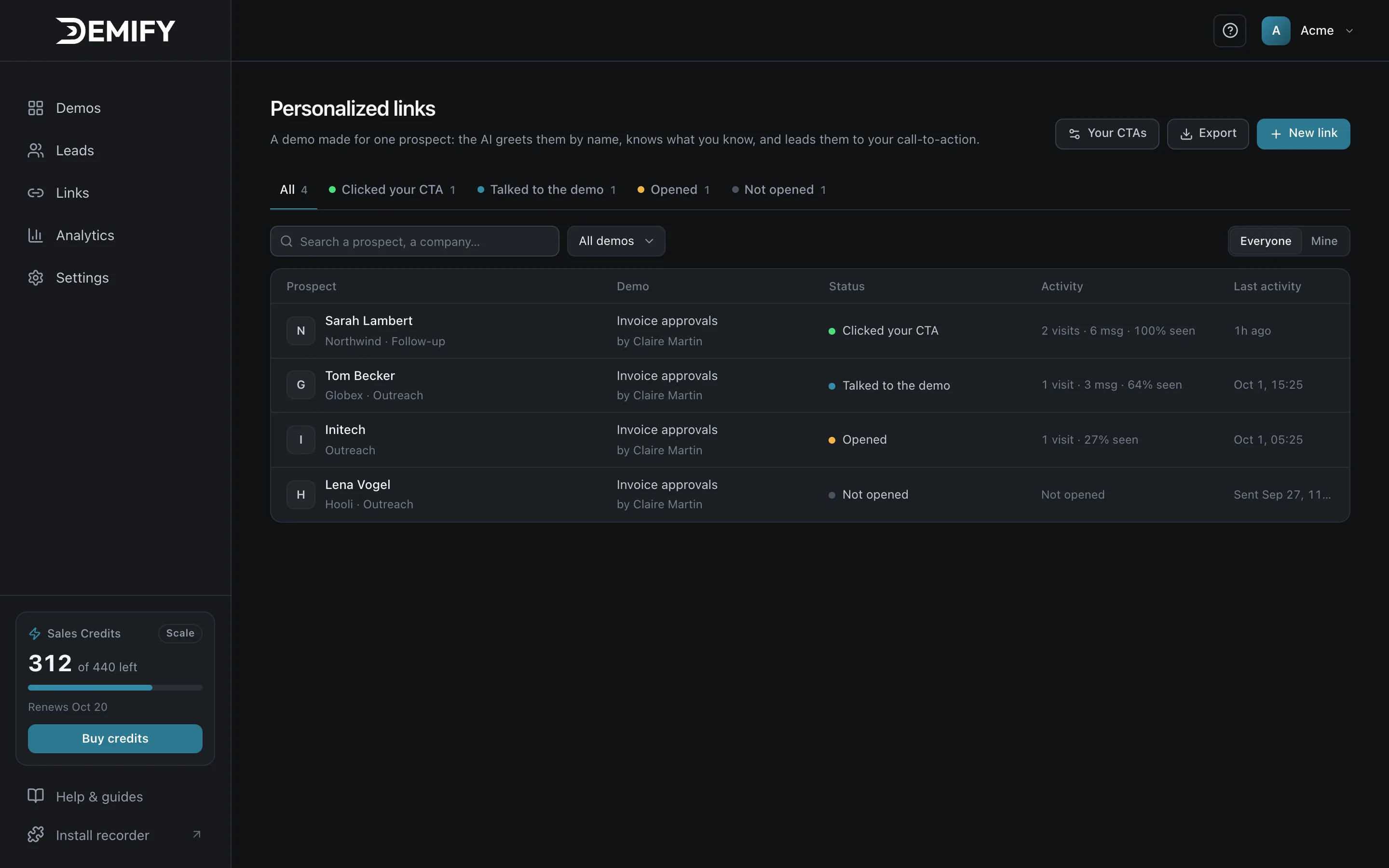
Personalized links in Demify: one demo per prospect, with who opened, talked or clicked

Learn what buyers
really ask.

Every conversation tells you what prospects need and where they hesitate: material for your messaging.
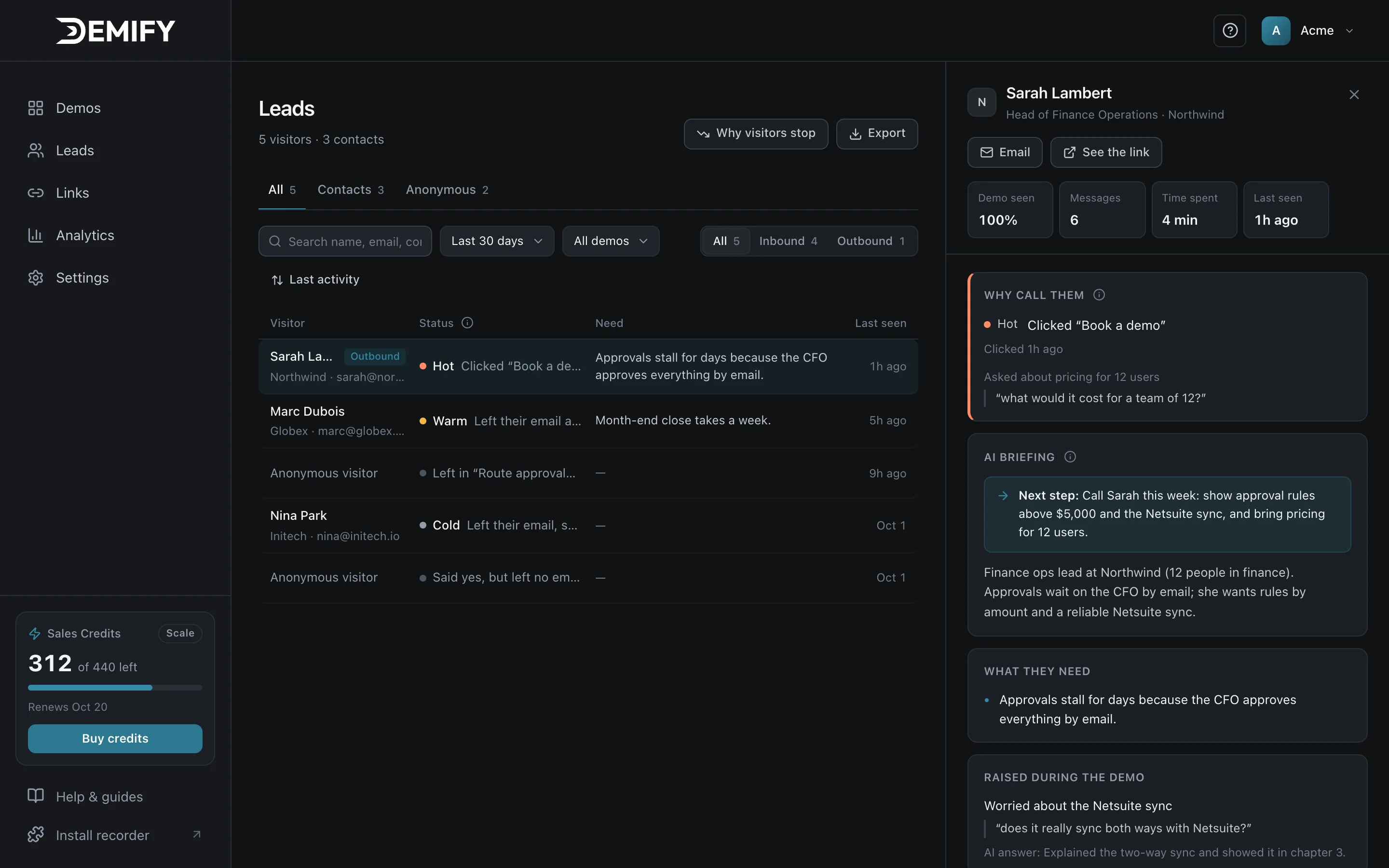
A lead in Demify: rated Hot, with the AI briefing and the suggested next step

Live in three steps.

Record once. Each prospect gets their own demo, always built from your product and your answers.

  1. Record

    Click through your product and talk. The Chrome extension captures every screen.
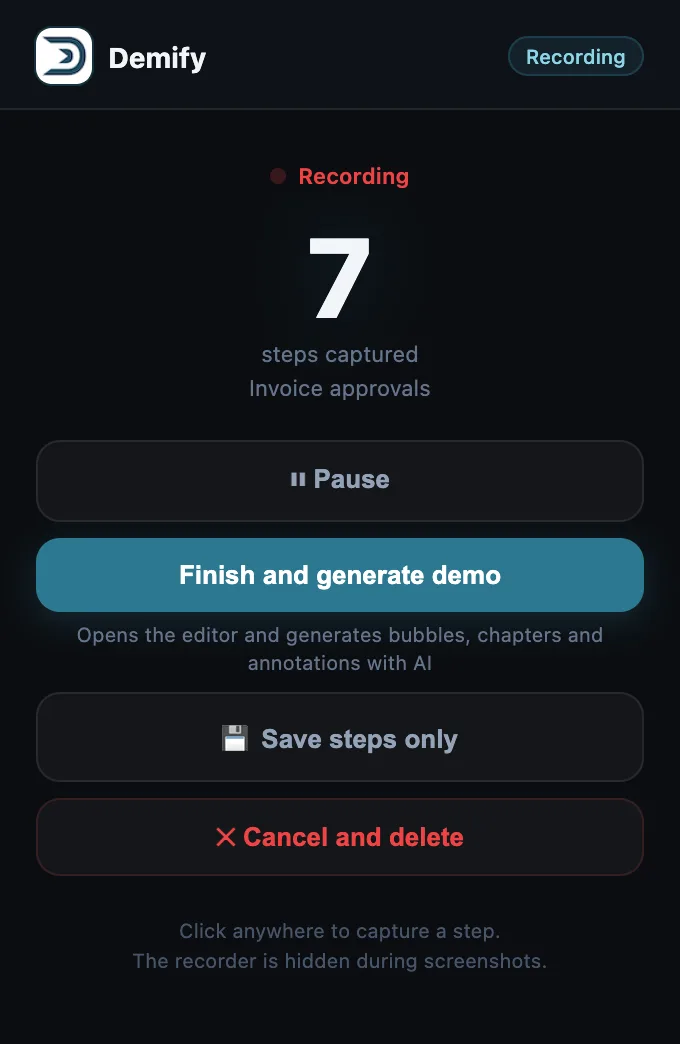
    Acme Billing, the product being recorded: its invoices, with the Demify recorder's popup open
    The Demify recorder's popup: recording, 7 steps captured
  2. Demify builds it

    In minutes, the AI writes the chapters, the voice and the context, and learns your own answers: pricing, objections, proof points.
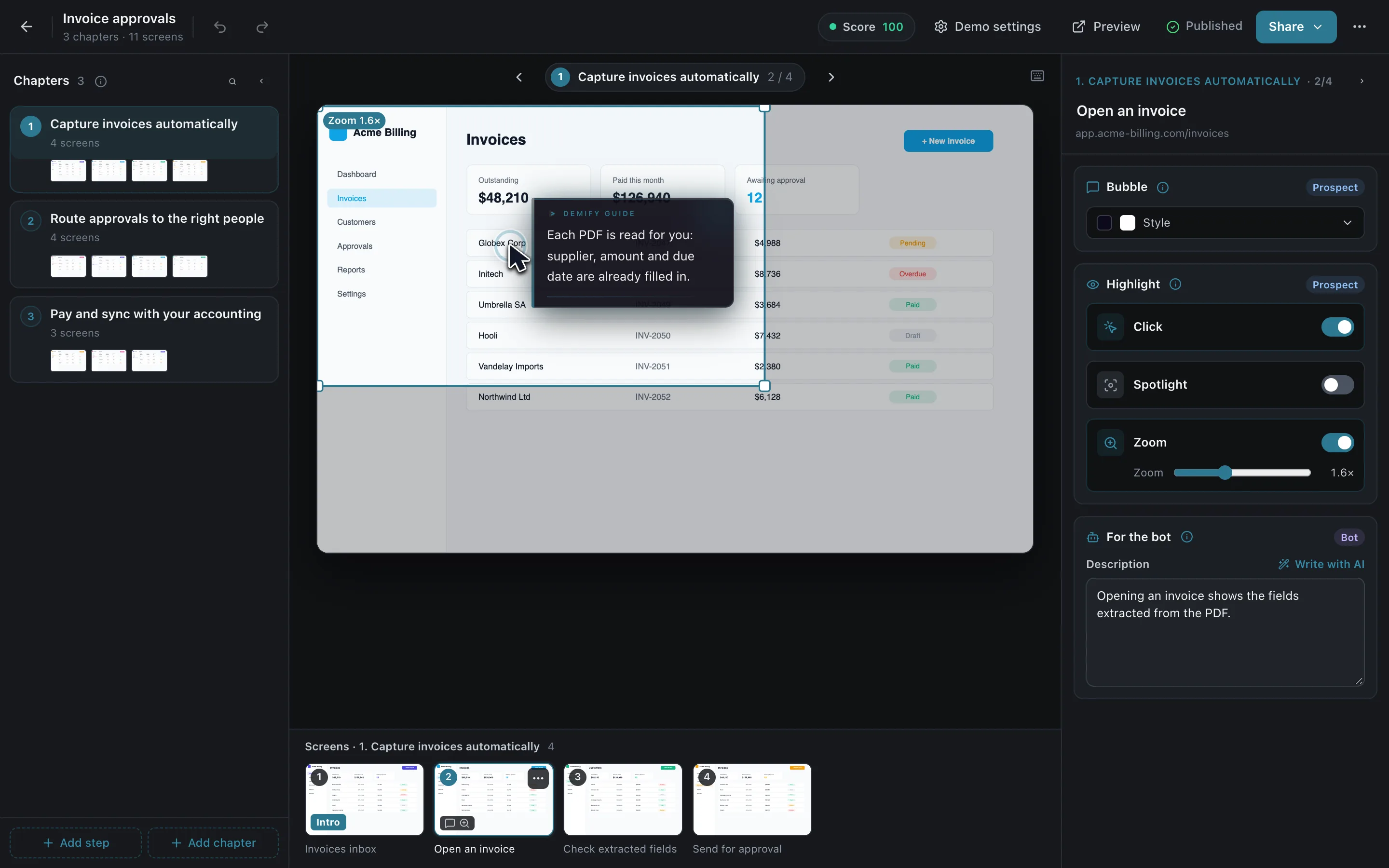
    The Demify editor: chapters on the left, the captured screen with a guide bubble and a zoom in the middle, the demo published with a score of 100
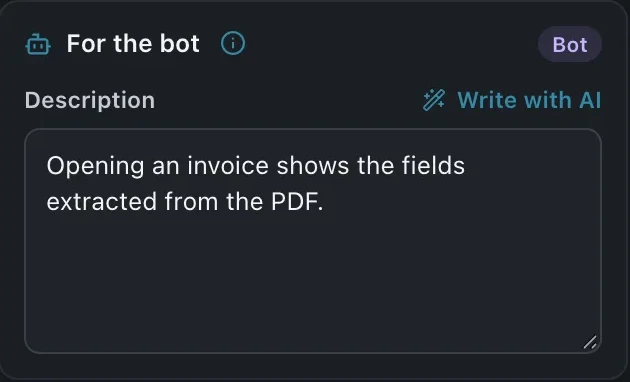
    The editor's For the bot panel: the note the agent reads for this screen
  3. Share

    A public link, a link made for each prospect, or one line of code on your site.
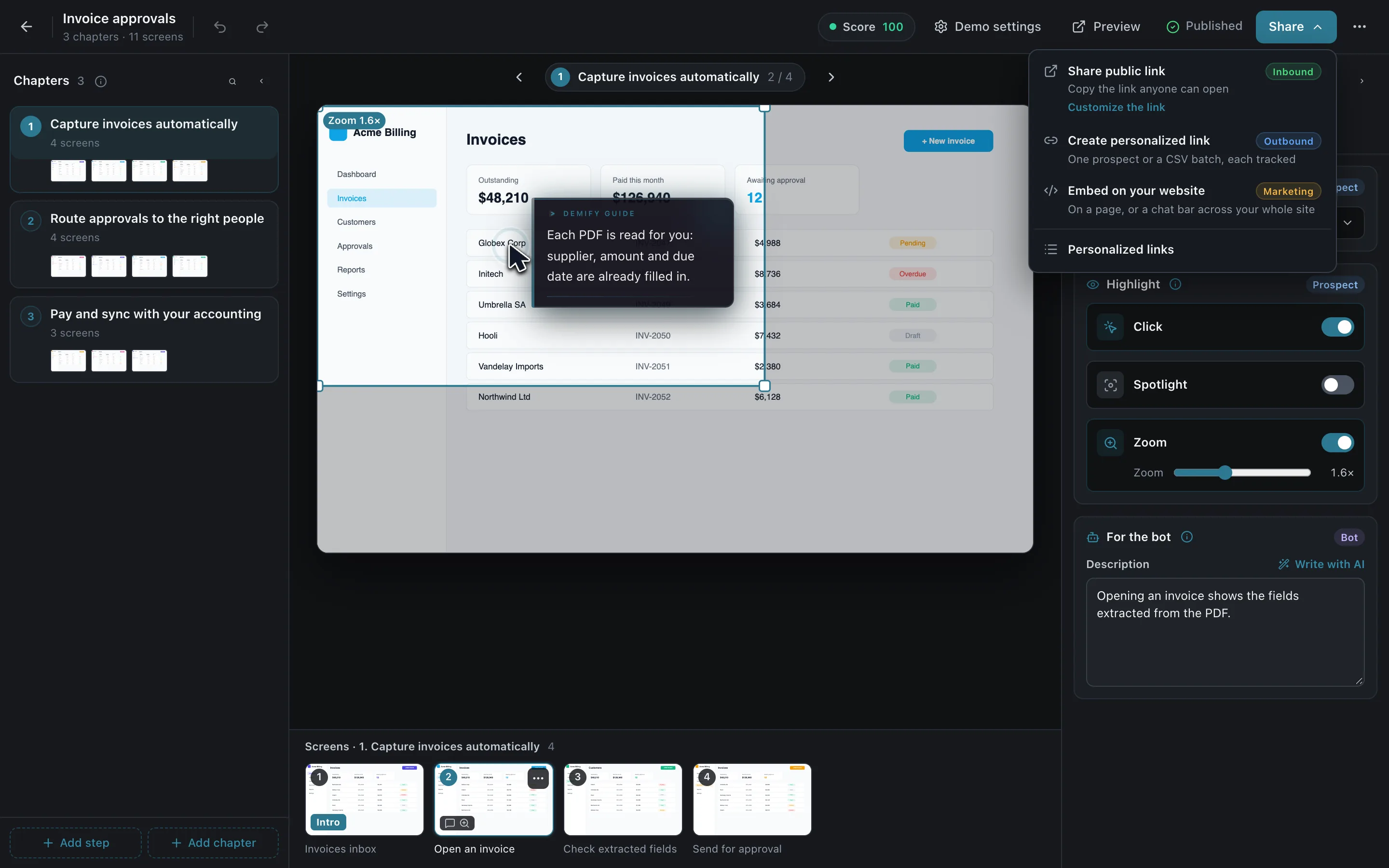
    The editor's Share menu over the published demo: share a public link, create a personalized link, embed on your website
  • Public link

    One link anyone can open.

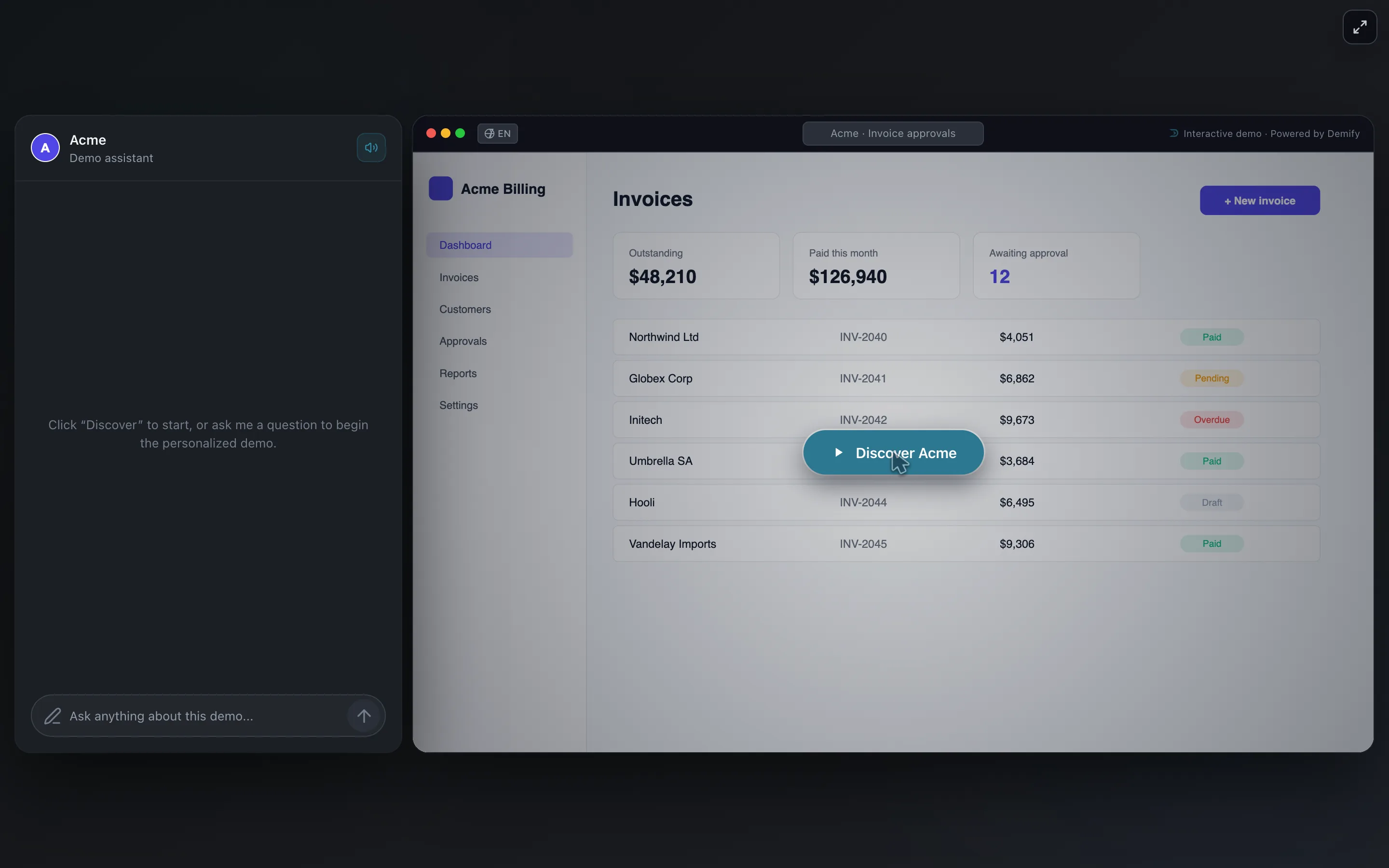
    The demo opened from its public link: the Discover Acme button over the Acme Billing invoices
  • Personalized link

    Made for one prospect: the guide greets them by name and knows their context.
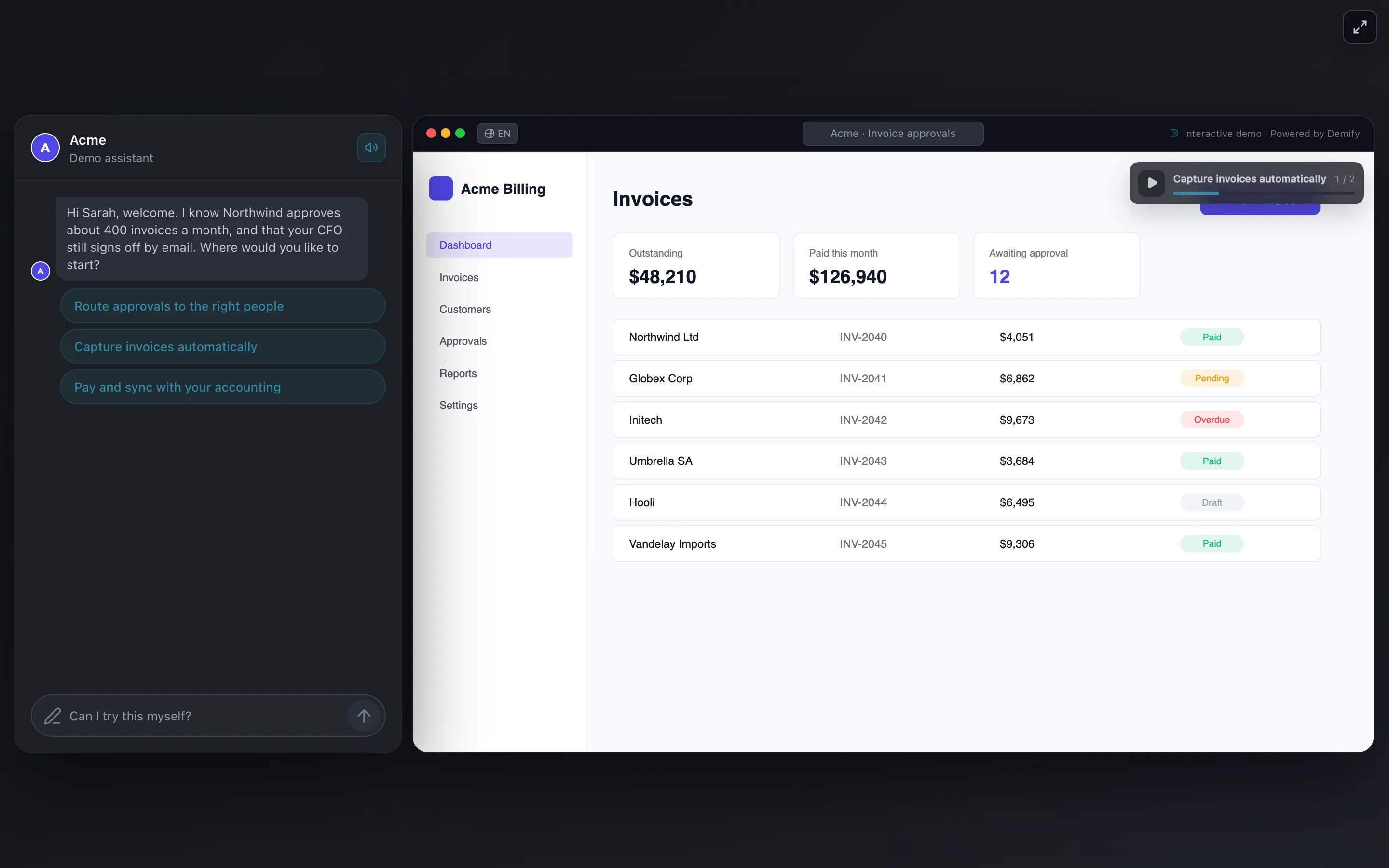
    The demo opened from a personalized link: the guide greets Sarah by name and knows Northwind approves about 400 invoices a month
  • On your website

    The demo on a page, and the chat bar on every page of your site.

    The Acme Billing website with the demo embedded under its headline and the Demify chat bar docked below it
    The Demify chat bar on the Acme Billing website: Ask anything about Acme Billing

Questions, answered.

Still wondering? Ask the live demo
How do I add a Demify demo to our website?

Copy one line of code from the demo's Share menu and paste it into your page. The demo appears where you put it, and the chat bar can follow visitors on every page.

What is the difference with a product tour?

A tour makes every visitor click the same path. Demify's AI guide asks each visitor what they need and shows the matching part of the product, then answers their questions.

Which languages can visitors use?

English, French, Spanish, German and Italian. The guide writes and speaks its answers; visitors type or tap.

Give your product a voice.

14 days free, no credit card. Your first demo, live in a few minutes.

Create my first demoor ask the live demo first