Personalized demo links

Send every prospect
their own demo.

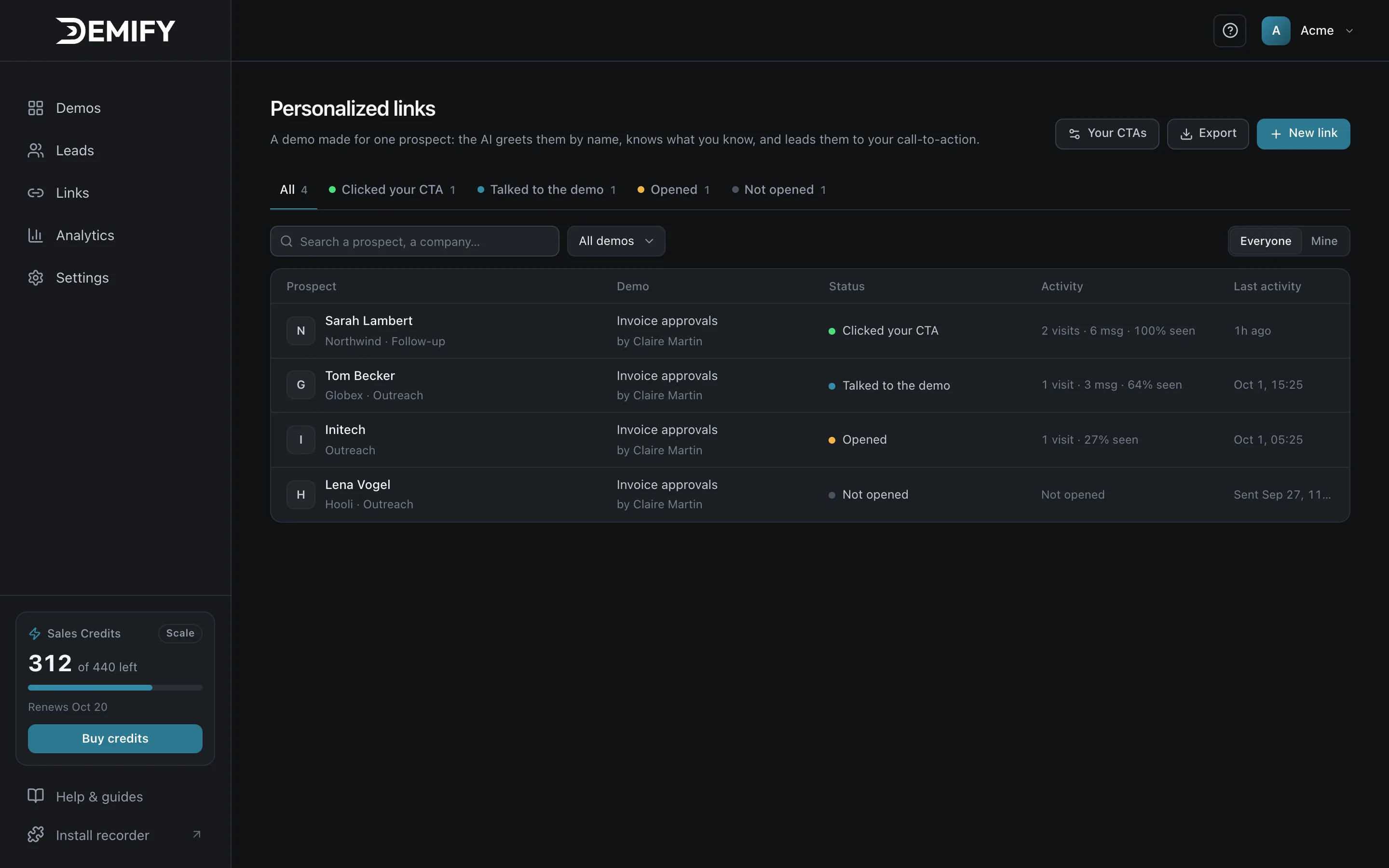
With Demify, each prospect in your outbound gets a demo link made for them: the AI guide greets them by name, shows the screens that matter to their company and tells you what they need before you call.

14-day free trial · No credit card · Live in minutes

Personalized links in Demify: one demo per prospect, with who opened, talked or clicked

Cold emails ask for 30 minutes before the buyer knows if it is relevant. A generic video gets a click at best, and you never learn what they thought.

Made for
one prospect.

Give their name and context: the guide greets them by name and never asks what you already know.
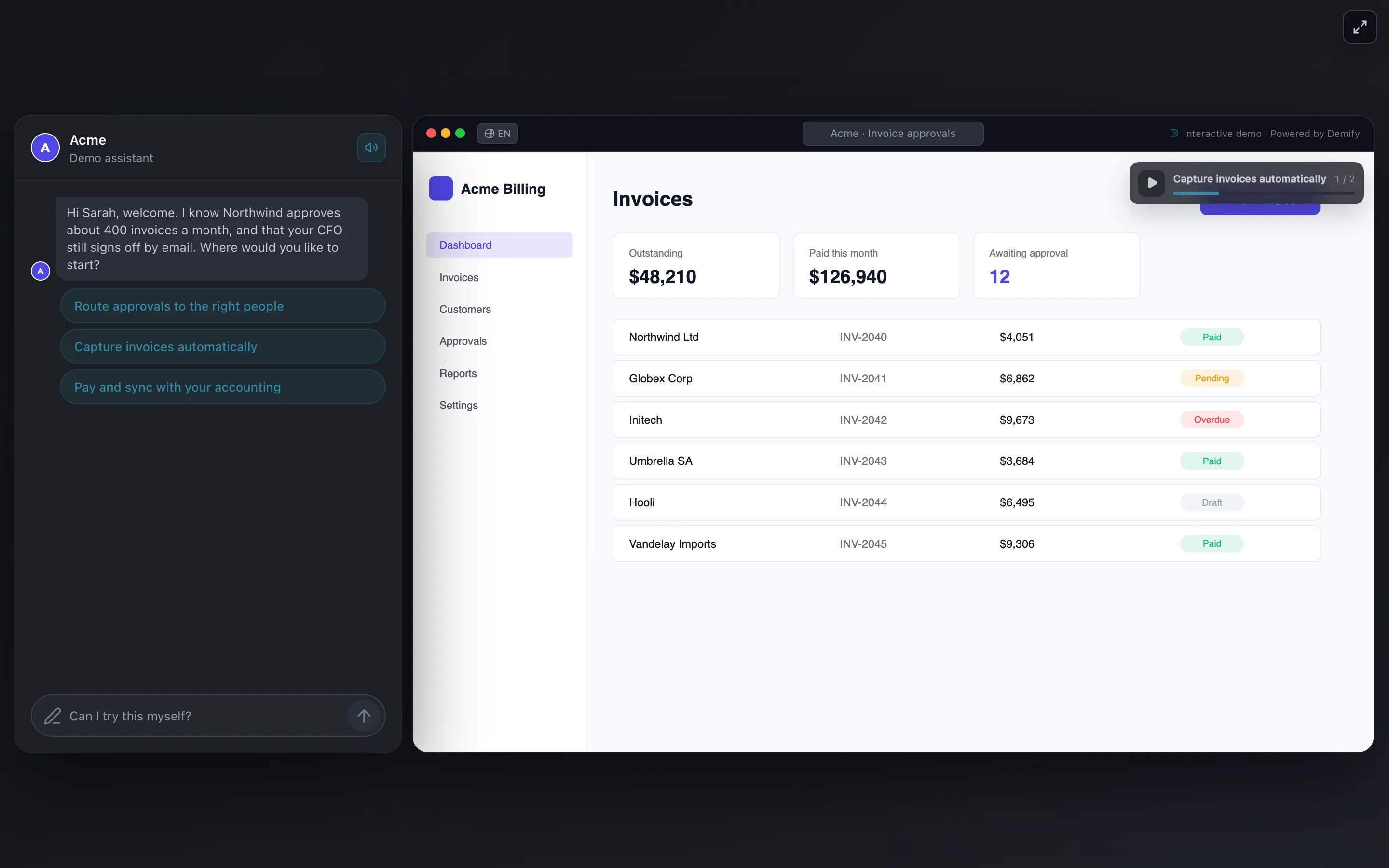
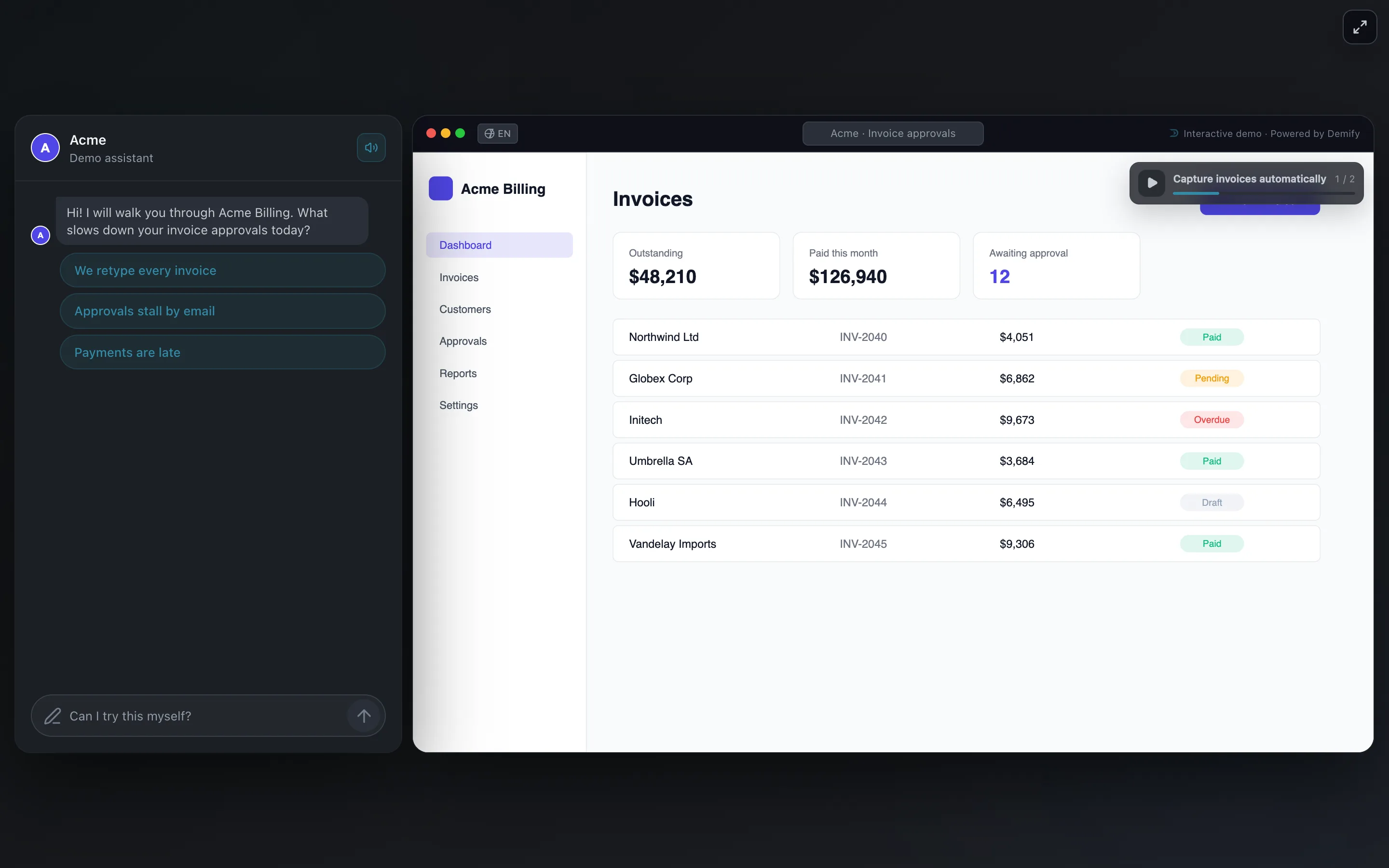
A demo opened from a personalized link: the AI guide greets the prospect by name and knows their company's context

One demo.
A whole list.

Record once, import a list of prospects. Every link reuses the demo, so personalizing is not a rebuild.
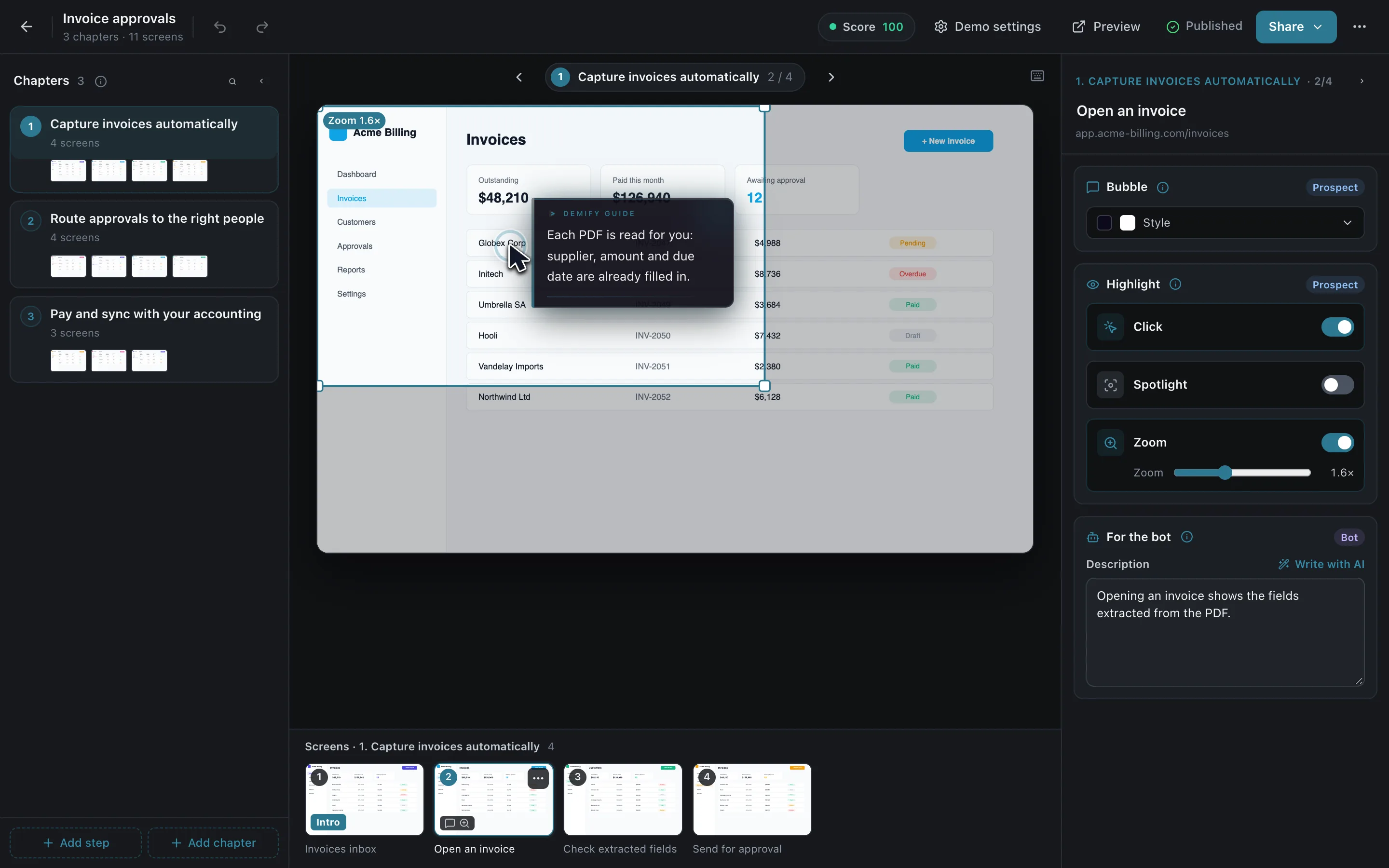
The Demify editor: the chapters the AI wrote on the left, the captured screen with a guide bubble in the middle

Follow up
with substance.

What they asked, their objections and the next step, in one briefing.
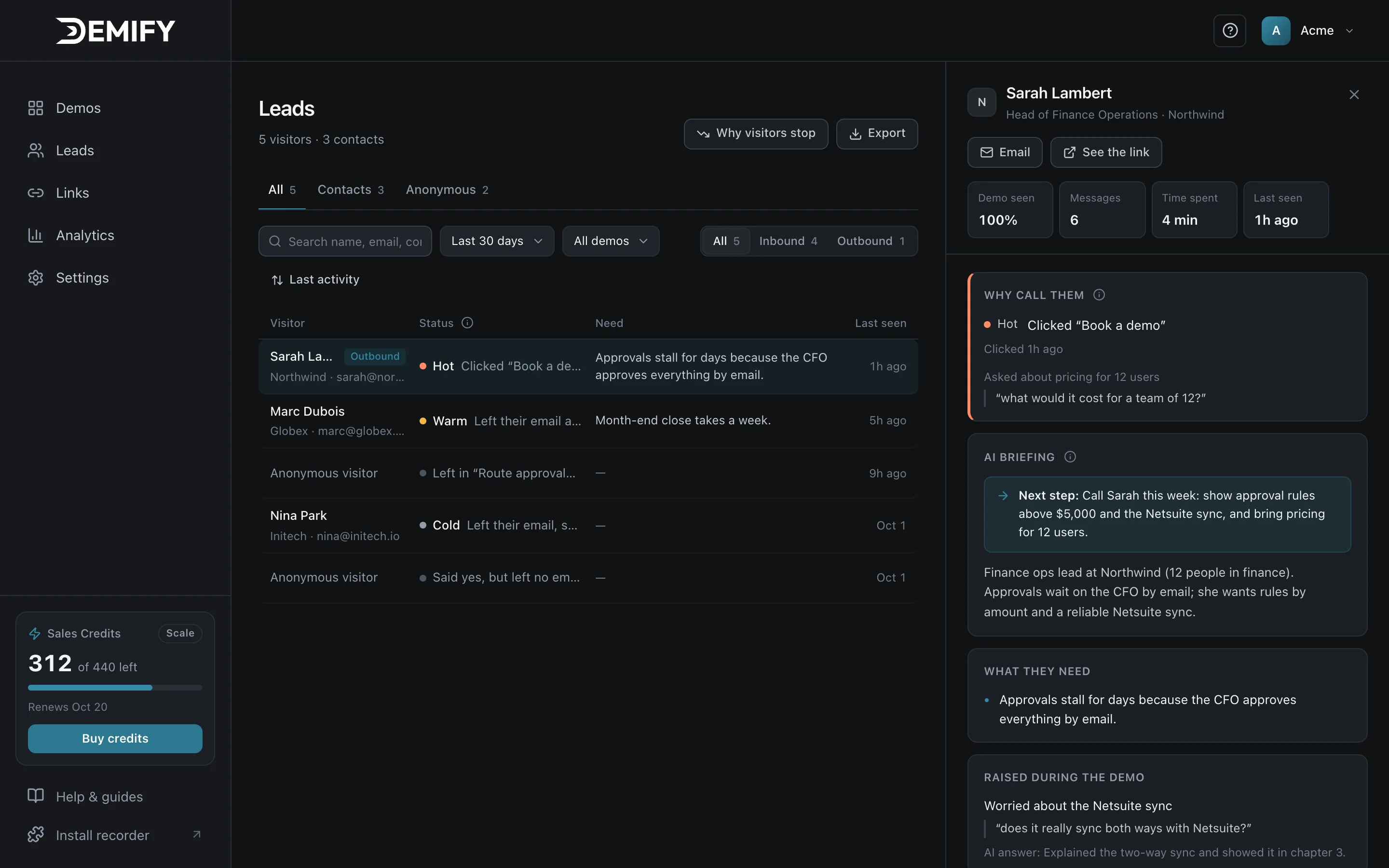
A lead in Demify: rated Hot, with the AI briefing and the suggested next step

Live in three steps.

Record once. Each prospect gets their own demo, always built from your product and your answers.

  1. Record

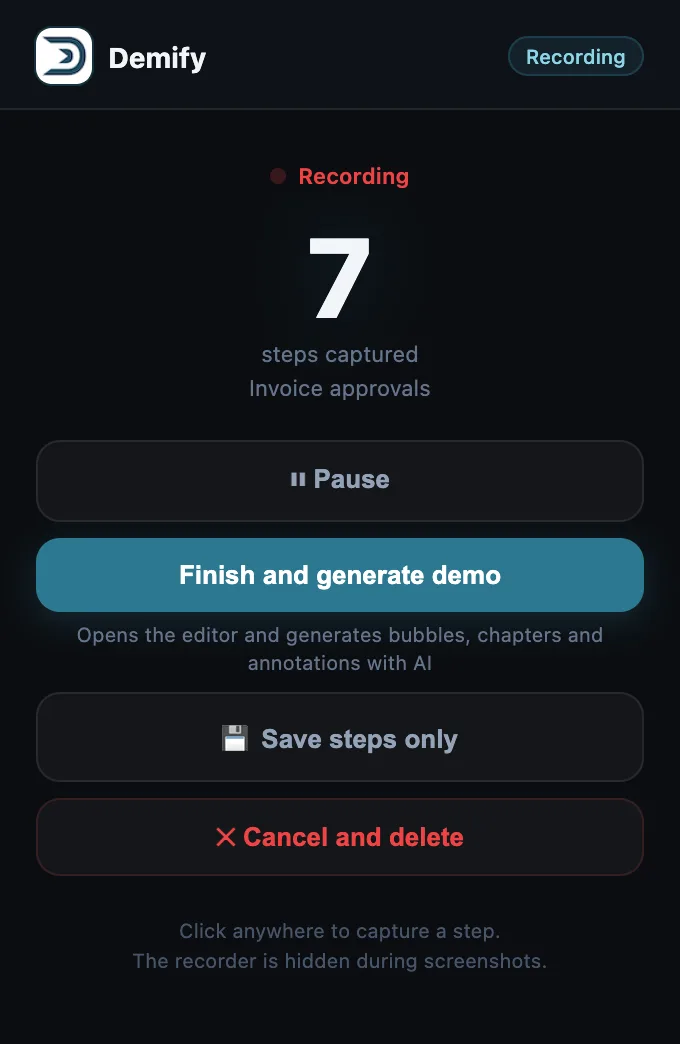
    Click through your product and talk. The Chrome extension captures every screen.
    Acme Billing, the product being recorded: its invoices, with the Demify recorder's popup open
    The Demify recorder's popup: recording, 7 steps captured
  2. Demify builds it

    In minutes, the AI writes the chapters, the voice and the context, and learns your own answers: pricing, objections, proof points.
    The Demify editor: chapters on the left, the captured screen with a guide bubble and a zoom in the middle, the demo published with a score of 100
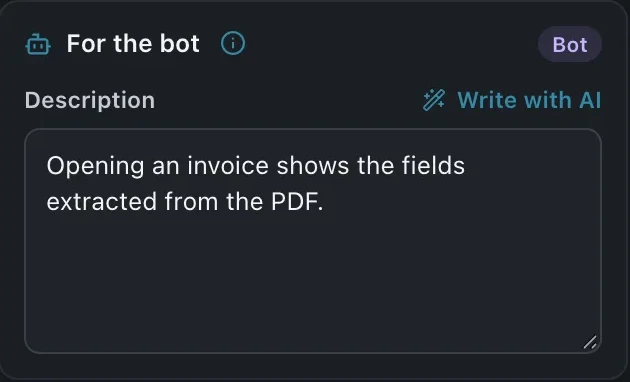
    The editor's For the bot panel: the note the agent reads for this screen
  3. Share

    A public link, a link made for each prospect, or one line of code on your site.
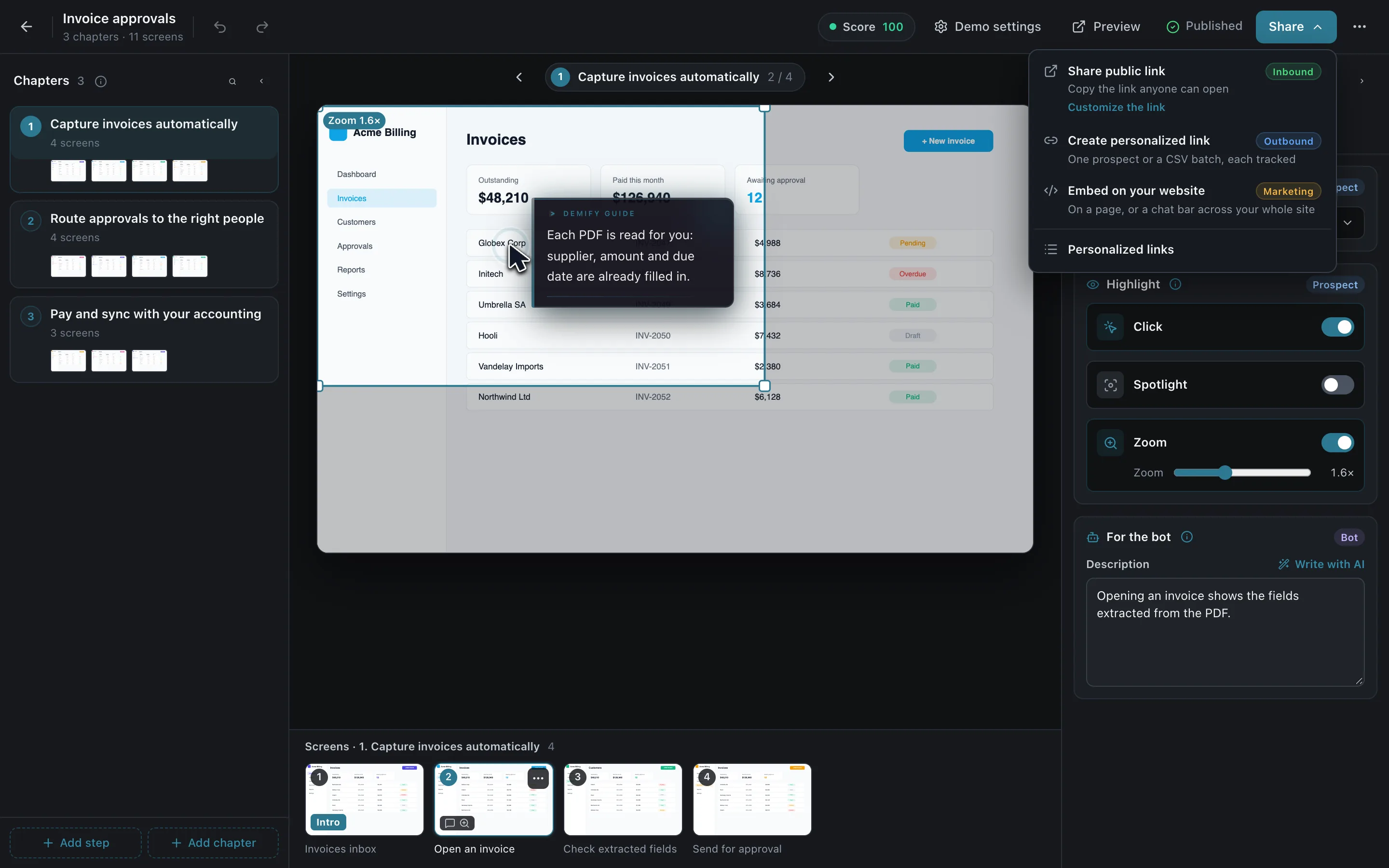
    The editor's Share menu over the published demo: share a public link, create a personalized link, embed on your website
  • Public link

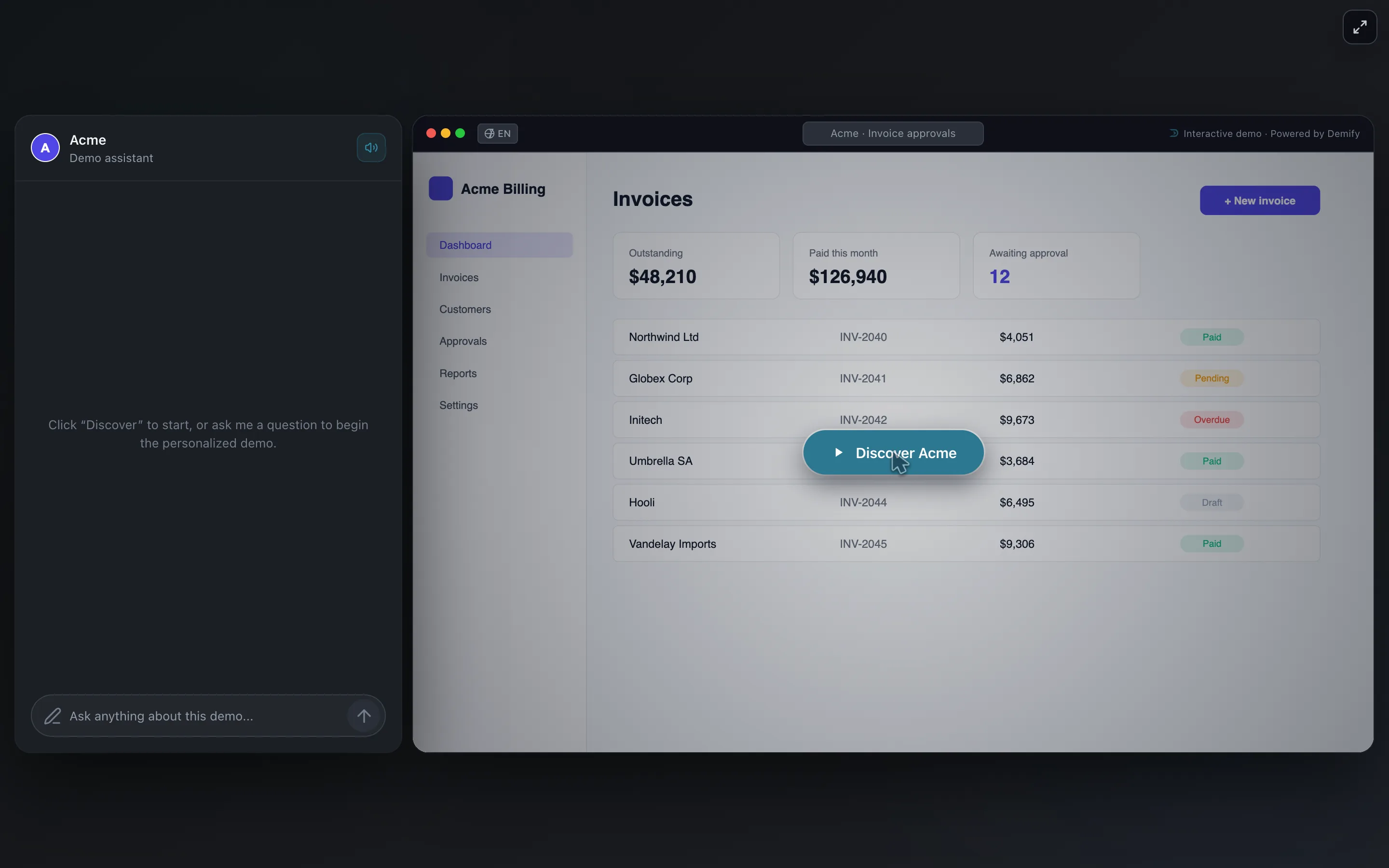
    One link anyone can open.

    The demo opened from its public link: the Discover Acme button over the Acme Billing invoices
  • Personalized link

    Made for one prospect: the guide greets them by name and knows their context.

    The demo opened from a personalized link: the guide greets Sarah by name and knows Northwind approves about 400 invoices a month
  • On your website

    The demo on a page, and the chat bar on every page of your site.
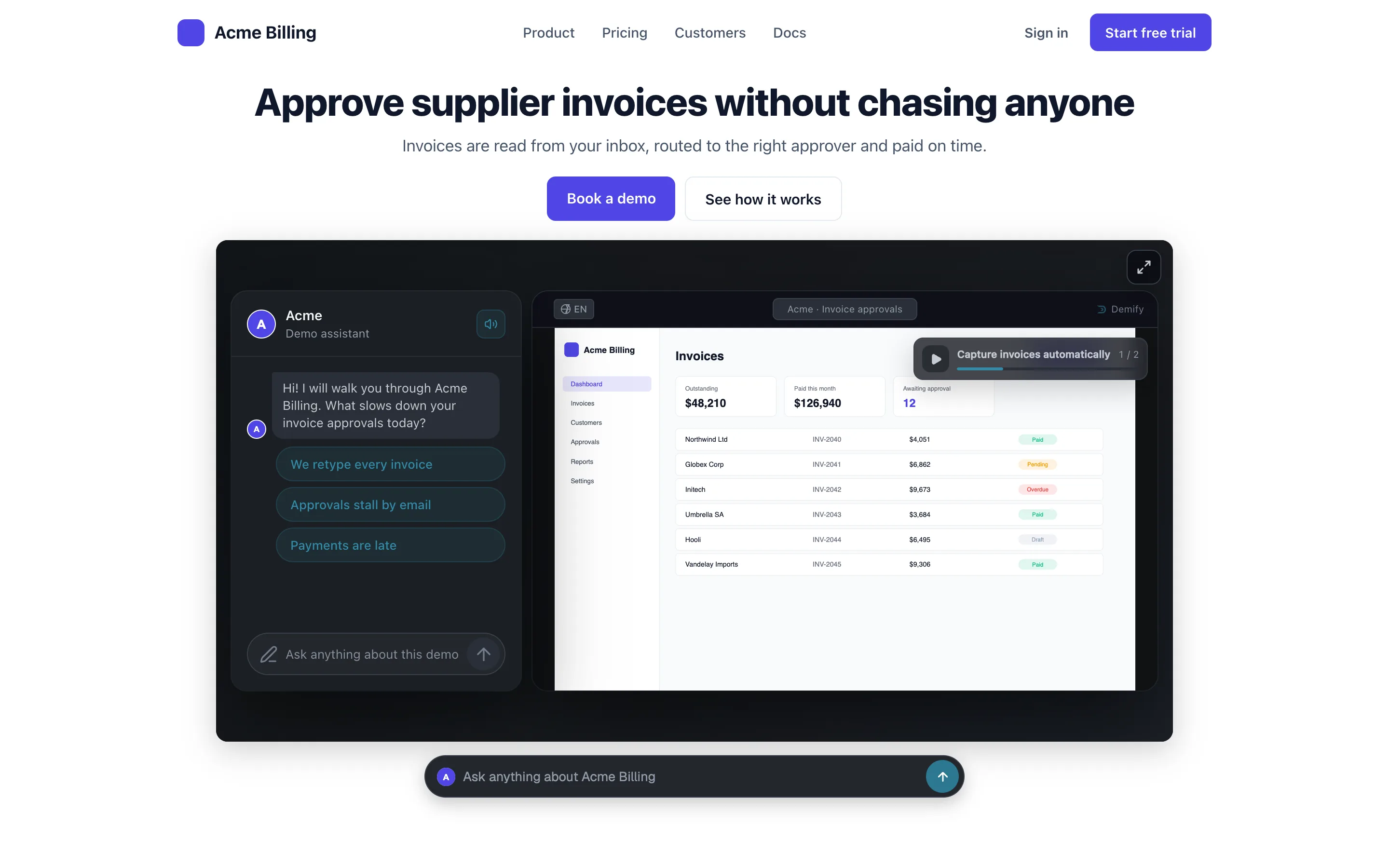
    The Acme Billing website with the demo embedded under its headline and the Demify chat bar docked below it
    The Demify chat bar on the Acme Billing website: Ask anything about Acme Billing

Questions, answered.

Still wondering? Ask the live demo
Can I use personalized links in my sequences?

Yes. A personalized link is a normal web address: paste it into an email, a LinkedIn message or any sequencing tool.

What does the prospect need to open it?

Nothing but a browser. There is no account to create and nothing to install.

Give your product a voice.

14 days free, no credit card. Your first demo, live in a few minutes.

Create my first demoor ask the live demo first